

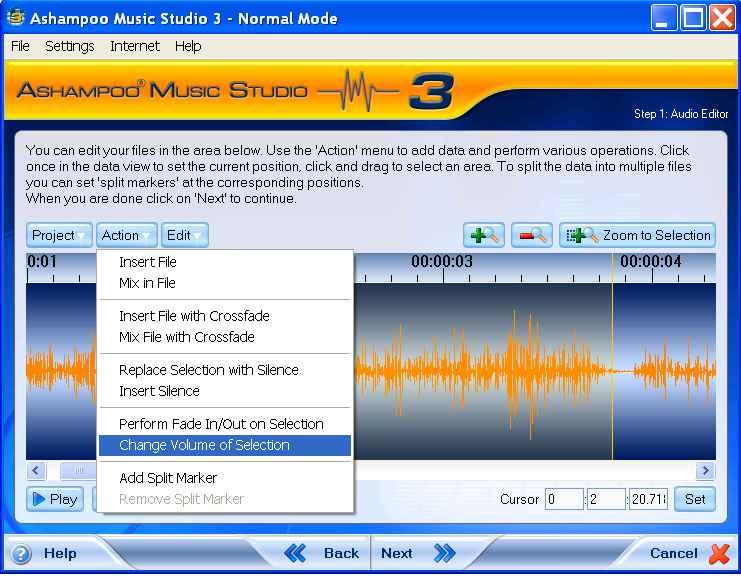
2. In the Action drop down window select Change Volume of Selection (Fig 74)
 1
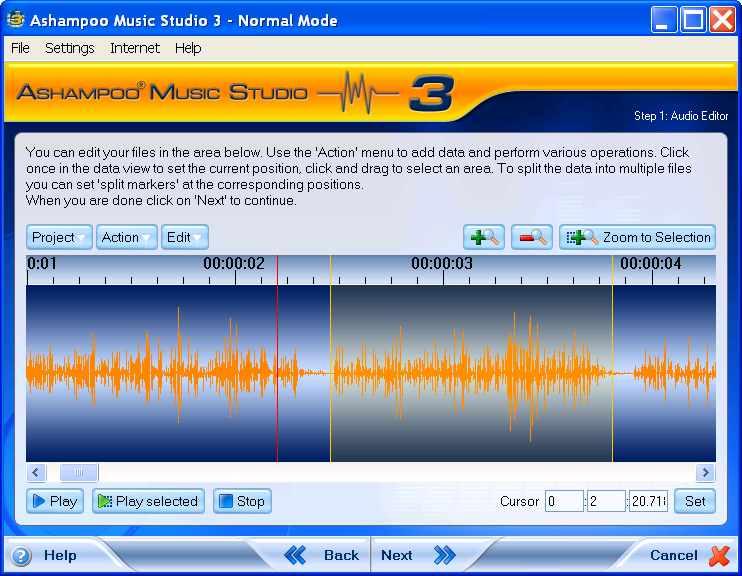
1Figure 73
 2
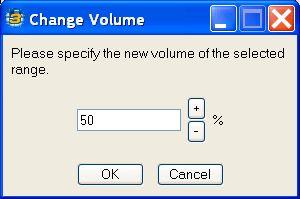
2 3. In the Change Volume dialog box, modify the volume (Fig 75) according to your requirement and test the selection to see and hear the changes to the volume of the chosen song.
4. Click OK button to confirm (Fig 75).
 3
3Figure 75
5. Exit the Music Studio application.
4
Describe what you're looking for in as much detail as you'd like.
Our AI reads your request and finds the best matching books for you.
Popular searches:
Join 2 million readers and get unlimited free ebooks