

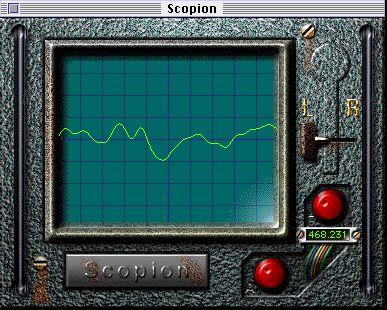
The Scopion is an on-board oscilloscope, that analyzes the left or right side of a stereo input signal and displays the waveform contents in real time. It must be used as a Master Effect. Since the Scopion uses a custom interface, you have to click the Edit button in the Master Effects window to use it. There are three parameters:
L/R SwitchTime Scale
Gain Scale Clicking this switch allows you to choose between displaying the left and right side of the stereo input signal.
This knob (directly below the L/R switch) allows you to scale the waveform horizontally.This knob (at the bottom of the Scopion window) allows you to scale the waveform vertically.
• If you click the Scopion label plate below the display, a help screen will be shown, explaining the functionality of the parameters in the window.
Describe what you're looking for in as much detail as you'd like.
Our AI reads your request and finds the best matching books for you.
Popular searches:
Join 2.9 million readers and get unlimited free ebooks