

• When you are editing several Parts on different Tracks, you determine which Part to Paste into by clicking in the Lane Info field for the Part.
By clicking in the Lane Info field you make the Part “Active”.
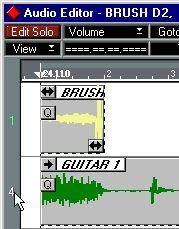 Clicking here...
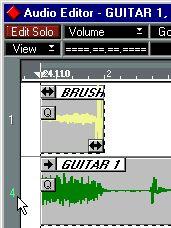 ...activates the Part.
The currently Active Part is indicated by a green channel number in the Lane Info field, and in the Editor's window title.
Describe what you're looking for in as much detail as you'd like.
Our AI reads your request and finds the best matching books for you.
Popular searches:
Join 2.9 million readers and get unlimited free ebooks