

The Stem handle selected. 3. If you want to change the lengths of several stems at the same time, hold down [Shift] and select these stems as well.
Dragging the stem.
All selected stems will be lengthened or shortened by the same amount.
2. Make sure “Stems/Beams” is activated.
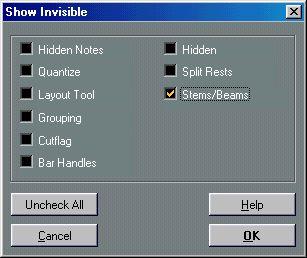
3. Click OK.
Now, below the notes where stems have been changed or beam slant adjusted manually, the word “Stem” will appear.
Before and after deleting the “Stem” item.
Describe what you're looking for in as much detail as you'd like.
Our AI reads your request and finds the best matching books for you.
Popular searches:
Join 2 million readers and get unlimited free ebooks