

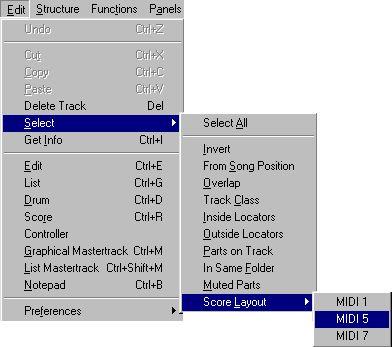
 The Arrange window Select menu and its Layout submenu.
2. Select one of the Layouts.
All Parts on the Tracks that make up the Layout get selected.
3. Open Score Edit by selecting Score from the Edit menu.
P Please note that all Parts on the Track(s) are opened. If you want to edit some specific selection of Parts, select them and open Score Edit as usual.
A submenu appears, listing all available Layouts.
2. Select one of the Layouts from the menu.
The associated Tracks appear. This is the same as closing Score Edit, selecting all Parts on the Tracks in the Layout and opening Score Edit again.
Describe what you're looking for in as much detail as you'd like.
Our AI reads your request and finds the best matching books for you.
Popular searches:
Join 2 million readers and get unlimited free ebooks