

Symbols can be aligned as in drawing programs. Proceed as follows:
1. Select all objects you want to align.
2. Select Align Elements from the Format menu on the Score menu.
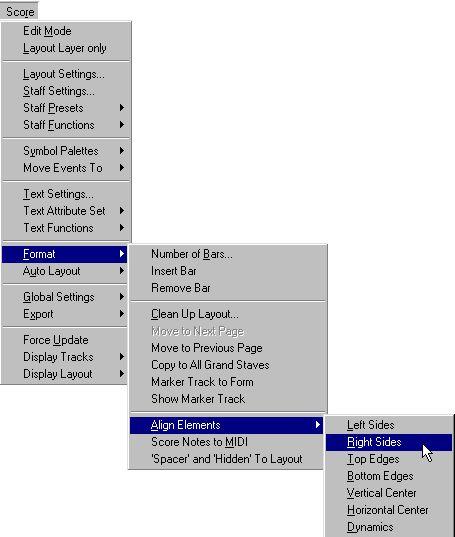 3. Select the desired option from the pop-up that appears. The object(s) will now be moved.
Select This: When You Want This:
The “Dynamics” option is a special function for aligning dynamic symbols, as described on page 217.
Describe what you're looking for in as much detail as you'd like.
Our AI reads your request and finds the best matching books for you.
Popular searches:
Join 2 million readers and get unlimited free ebooks