

SquareSpace’s Video Guide: Inviting a contributor
1. Go to your SquareSpace home menu.
2. Click Settings.
3. Click Permissions.
4. Click Invite Contributor.
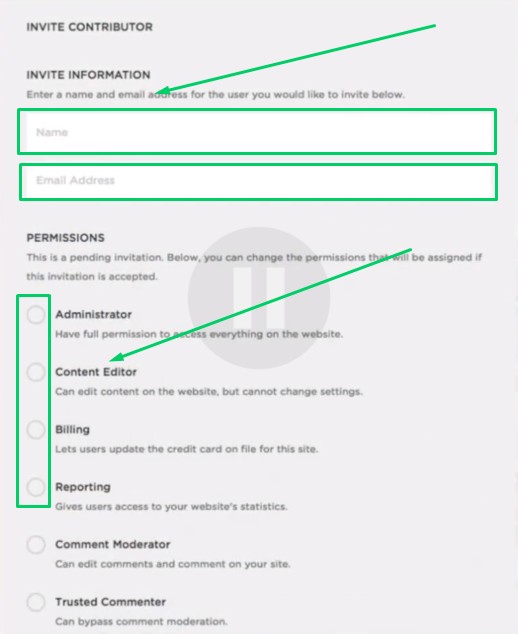
5. In the Name box, write “CoachYu”.
6. In the “Email Address” box, write “access@blitzmetrics.com”.
7. Click on as many circles under “Permissions” that you are willing to allow. See Permissions explained
8. Click “Save”.
Describe what you're looking for in as much detail as you'd like.
Our AI reads your request and finds the best matching books for you.
Popular searches:
Join 2 million readers and get unlimited free ebooks