

1. Log in to https://ads.google.com.
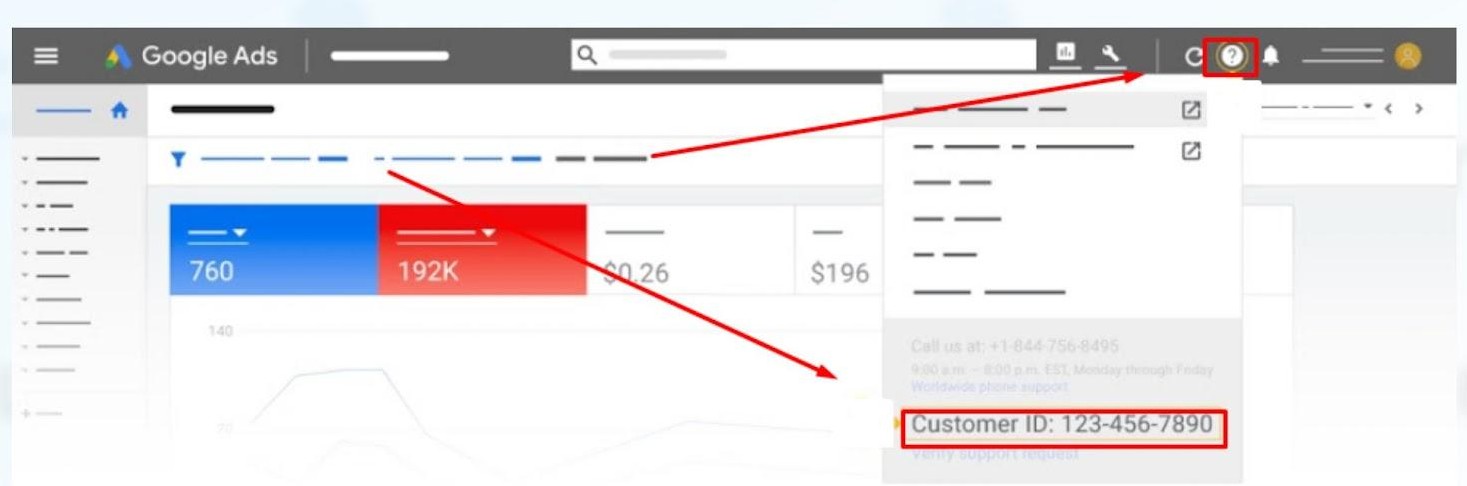
2. Find your Customer ID number by clicking on the "?" icon.
3. Send an email to access@blitzmetrics.com with your Customer ID.
4. Wait for our team to send you an email request. Go to your inbox, find the email request to add CoachYu as a client manager.
5. In the email, click Accept Request, which will take you to the Google Ads website.
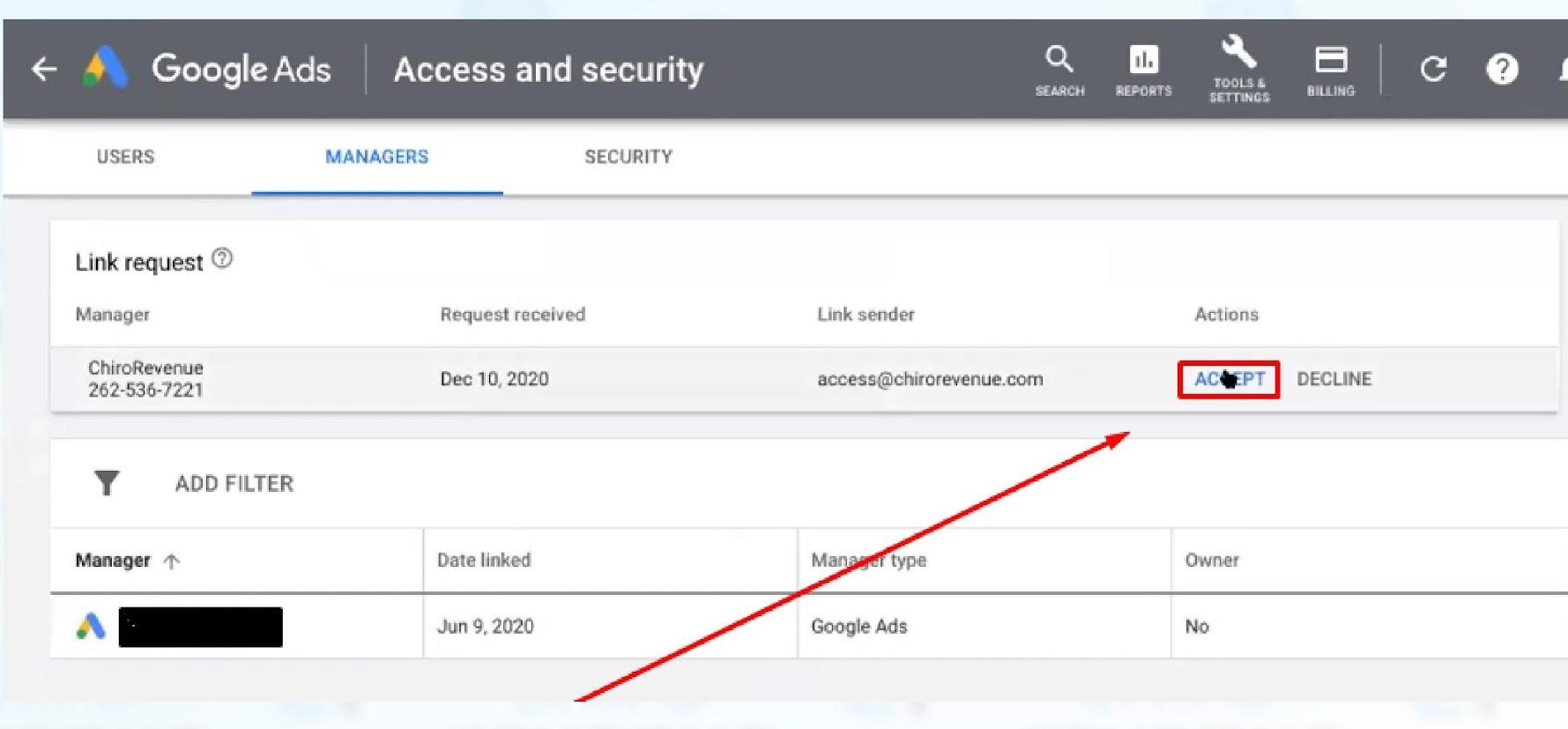
6. In the Google Ads website, click Accept.
7. Click Grant Access.
Describe what you're looking for in as much detail as you'd like.
Our AI reads your request and finds the best matching books for you.
Popular searches:
Join 2 million readers and get unlimited free ebooks