

Working with Google Analytics:
Audience Overview
Now that we’re through with the basics, let’s get down to working with data. Press the Google Analytics logo in the upper left corner and see where it takes you. If you’ve got one website, you’ll find yourself in the Reporting menu. Otherwise, you’ll start with the Home menu where you’ll need to choose the property (website) that you’d like to view.
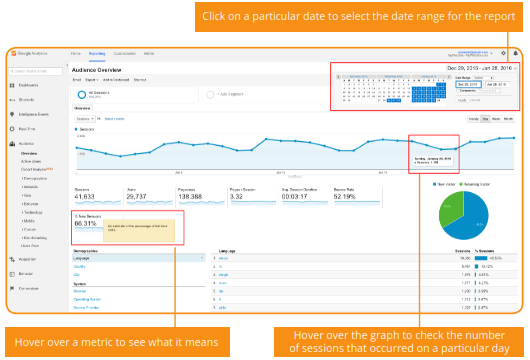
The first report you’ll see every time you enter Google Analytics is the Audience Overview:
Describe what you're looking for in as much detail as you'd like.
Our AI reads your request and finds the best matching books for you.
Popular searches:
Join 2 million readers and get unlimited free ebooks