

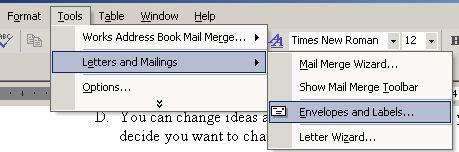
Once you have these on hand, it’s easy to use MS Word to print on them by pages. Simply select: “Tools” > “Letters And Mailings” > “Envelopes and labels”
 Once you are in there, you can find your paper size simply by selecting one of the 2 tabs and scrolling to find your paper size.
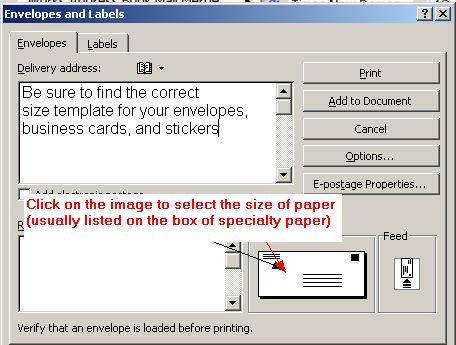 Once you find the size click:
“Add to Document” or “New Document” (new document if you are working with labels).
Describe what you're looking for in as much detail as you'd like.
Our AI reads your request and finds the best matching books for you.
Popular searches:
Join 2 million readers and get unlimited free ebooks