

Progress Bar
A progress bar can be activated to show the user that your program hasn't crashed during long operations.
It can be activated and de-activated with :
DDgui_WaitCursor%: bWait% [, iSpriteId%]
bWait% denotes whether to activate (bWait% = TRUE) or de-activate (bWait% = FALSE) the process bar.
iSpriteId%, if present, denotes which sprite index to use to make a copy of the background. If this value is < 0, then a free index will found in order to make the copy.
This command should be used after the DDgui_show command. Using it before DDgui_show will either produce a nasty flickering effect or a blank background.
You should also note that your loop should NOT call SHOWSCREEN as that will be done in this function.
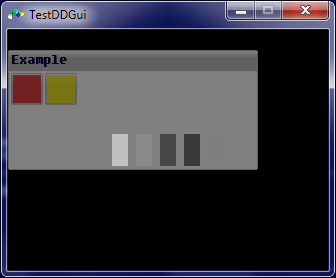
The progress bar looks like :
Describe what you're looking for in as much detail as you'd like.
Our AI reads your request and finds the best matching books for you.
Popular searches:
Join 2 million readers and get unlimited free ebooks